Payments and payouts with Stripe
Customers pay when they book, and the money goes into your own Stripe account and on to your bank. Connect Stripe once, then follow every payment and payout from the Payments page.
Paddli takes payment when a customer books, so you never chase money for a session. The money goes into your own Stripe account, and Stripe pays it into your bank.
Stripe is the payment company that handles the cards, keeps the card details secure and sends your payouts. You connect it once, and you can then follow every payment and payout without leaving Paddli.
Connect Stripe
Section titled “Connect Stripe”Go to Organisation in the top bar (Org at the bottom of the screen on a phone), then Stripe. The dashboard’s getting started list has the same step, Connect Stripe to get paid, with a Connect button.
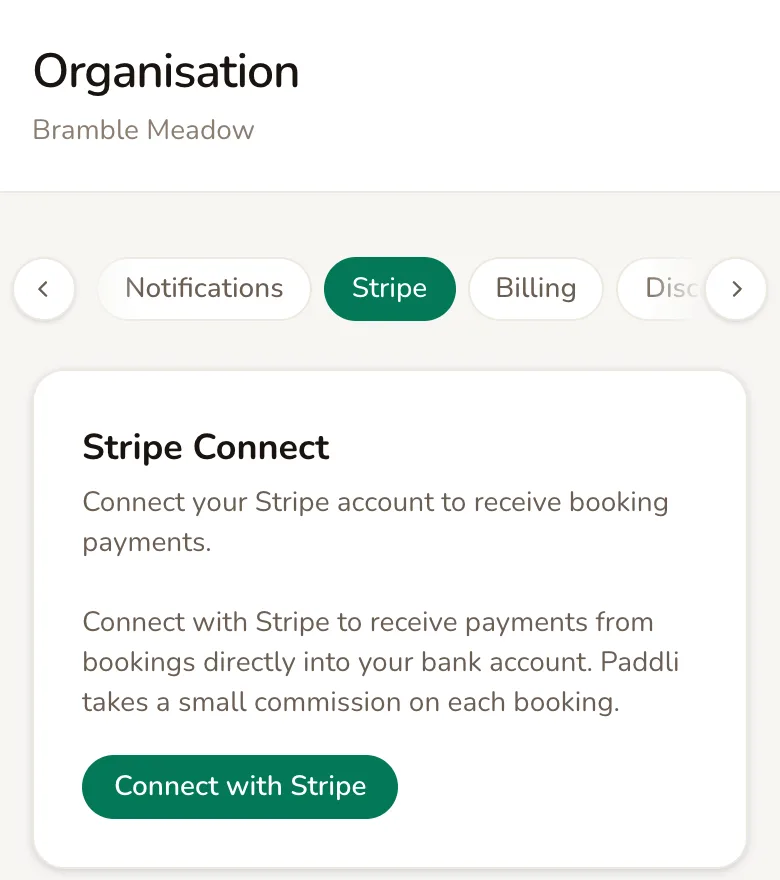
Tap Connect with Stripe. Paddli opens Stripe’s own setup form, with your organisation name, email address, country and currency already filled in. Stripe asks for the rest: who you are, details about your business, and the bank account your money should go to. Have your bank details to hand.
When you finish, Stripe sends you back to Paddli. Stripe account connected successfully. means you can take payments straight away. Stripe setup is not yet complete. You can continue later. means Stripe still needs something; tap Complete Stripe Setup to carry on where you left off.
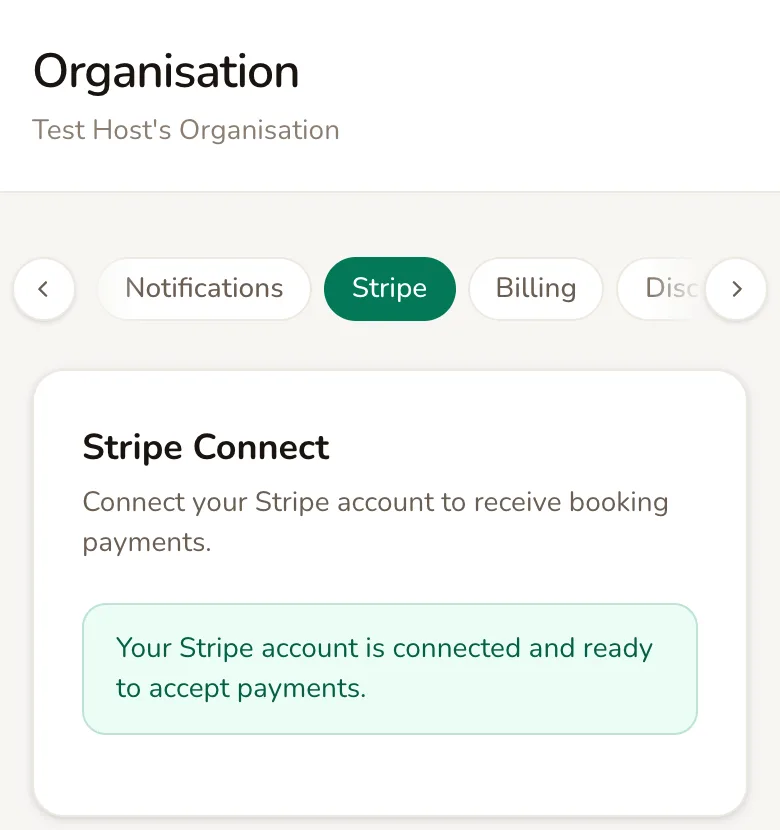
Once the card says Your Stripe account is connected and ready to accept payments., there is nothing else to do on this page.
Before you connect
Section titled “Before you connect”You can share your booking page before Stripe is set up, but nobody is charged. Customers see This field is not set up to take payments yet. You can still book, but you won’t be charged. (with your field’s type, such as meadow or paddock, in place of “field”), and their bookings go through for free.
This only lasts for your first 10 bookings, counted across all your fields. After that, customers see Booking unavailable until you finish connecting Stripe. Weekly subscriptions and gift vouchers cannot be sold at all until Stripe is connected.
What customers pay with
Section titled “What customers pay with”Customers pay on your booking page, in the same step as choosing their slot.
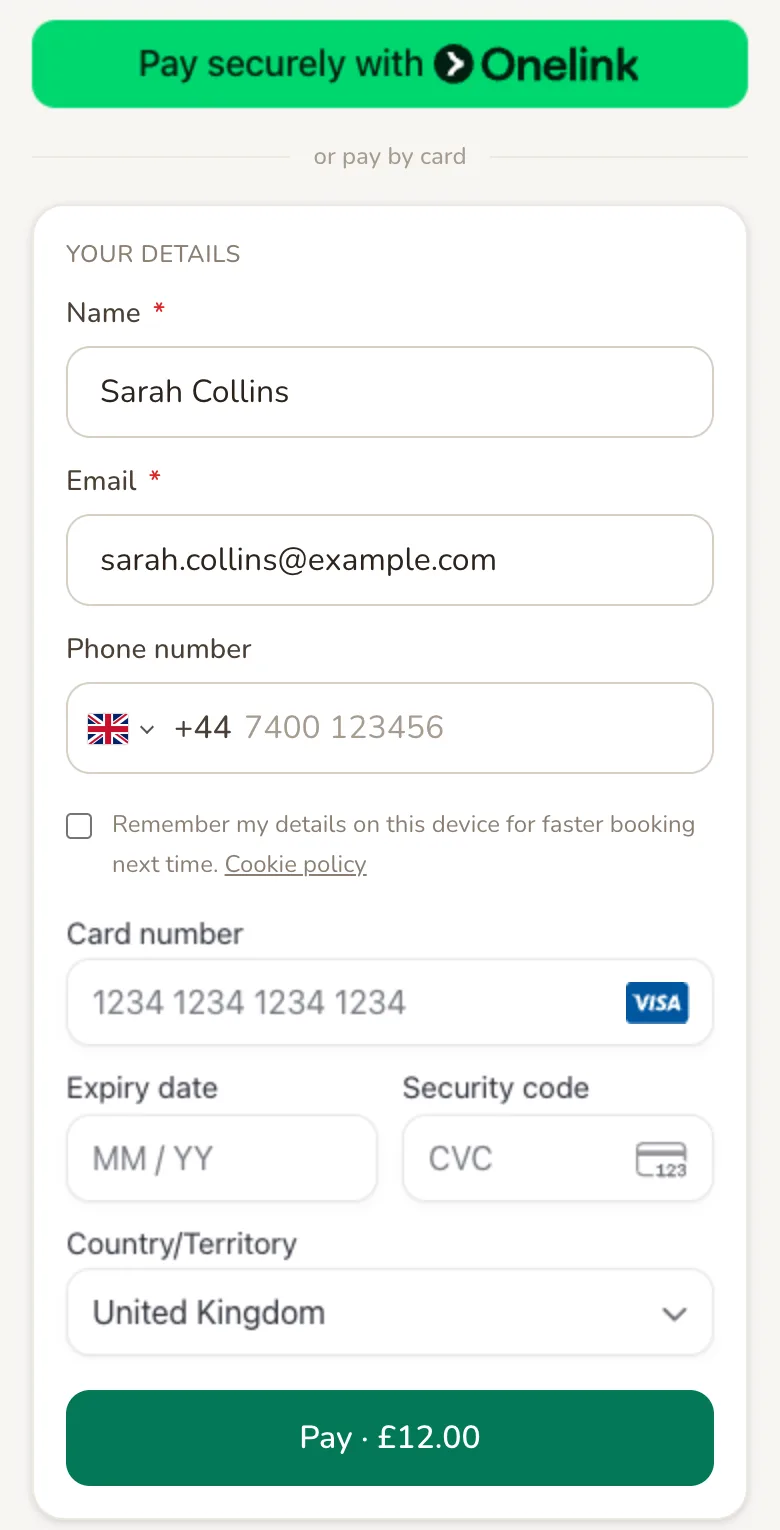
At the top are one-tap buttons for the wallets the customer’s phone or browser supports, such as Apple Pay or Google Pay. Below or pay by card, they can type in a card instead, then tap Pay, which shows the total. Weekly subscriptions are paid by card only.
The payment shows on the customer’s bank statement as your organisation’s name, shortened if it is long, followed by PADDLI.
Paddli emails the customer their booking confirmation as the receipt, showing Total paid. You can send it again from the order page with Send receipt.
What Paddli and Stripe take
Section titled “What Paddli and Stripe take”Two fees come off each payment before it reaches your bank.
Paddli’s fee is 5% of the booking price. If you send customers text or WhatsApp messages, the cost of the messages for that booking is added to it. There is no setup fee or monthly fee, and a free booking has no fee at all.
Stripe’s processing fee is Stripe’s standard card fee for your country. You pay it, because the payment is taken in your own Stripe account.
To see the fees on a payment, open the order (tap View order and its number on any booking) and tap View payment in Stripe in the Payment card.
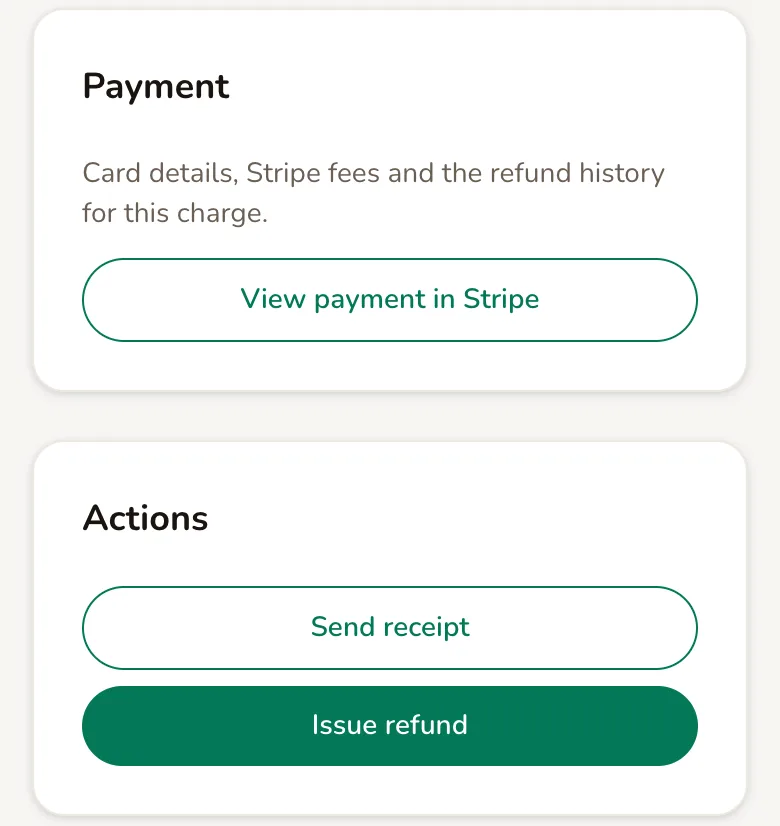
Stripe’s payment window opens. Processing fee is both fees together, and Net is what you receive from that payment.
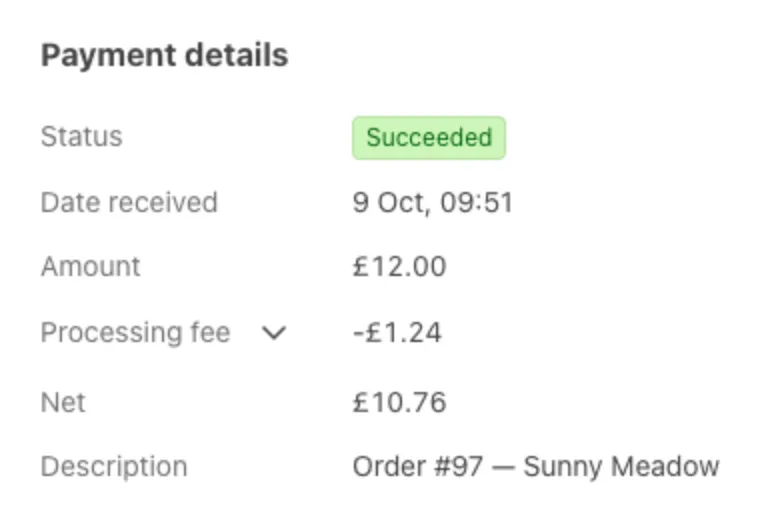
A discount code changes the sums a little: Paddli’s fee is worked out on the price before the code comes off, and Stripe’s fee on what the customer actually paid. Discount codes explains why.
Get paid
Section titled “Get paid”Go to Payments in the top bar, or at the bottom of the screen on a phone.
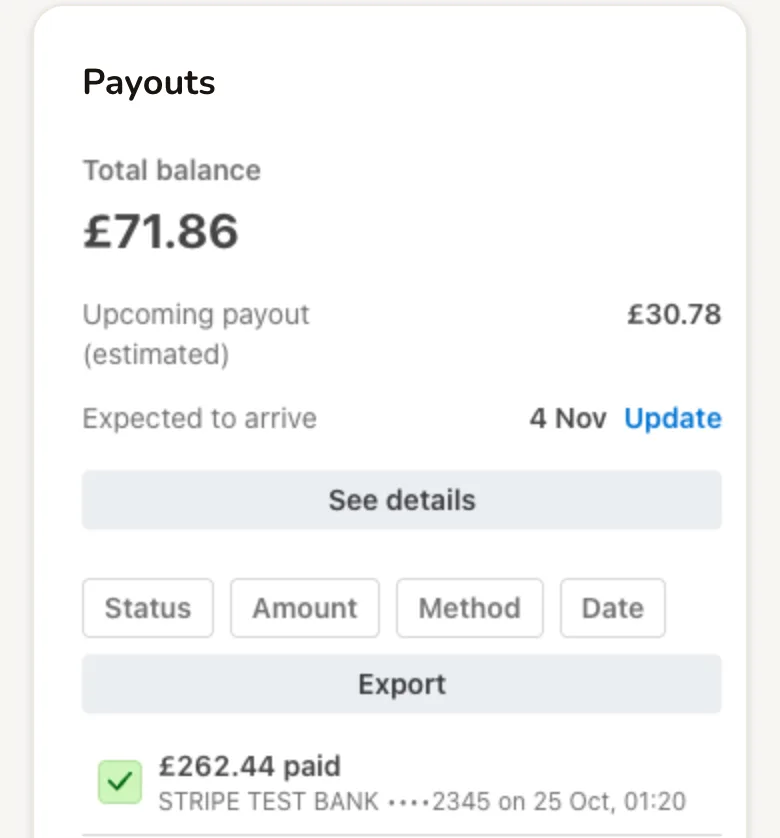
The Payouts card shows your balance, the next payout and when it should arrive, and every payout Stripe has sent to your bank. Tap Export to download the list.
Stripe pays out on its standard schedule for your country. Your first payout takes longer: Stripe holds a new account’s first funds and usually sends them around 7 to 14 days after your first booking payment, while it checks your account. Until then, the Payments page shows a note saying Your first payout is on its way.
To change your bank account, business details or payout schedule, scroll to Account Settings and tap Sign in. Stripe checks it is you before showing your details. Switching to a different Stripe account is not yet something you can do yourself; ask Jamie or Helen.
Find a payment
Section titled “Find a payment”The Payments card on the same page lists every payment made to you, newest first. Filter it by Amount, Email address, Date, Status or Payment method, or tap Export to download it.
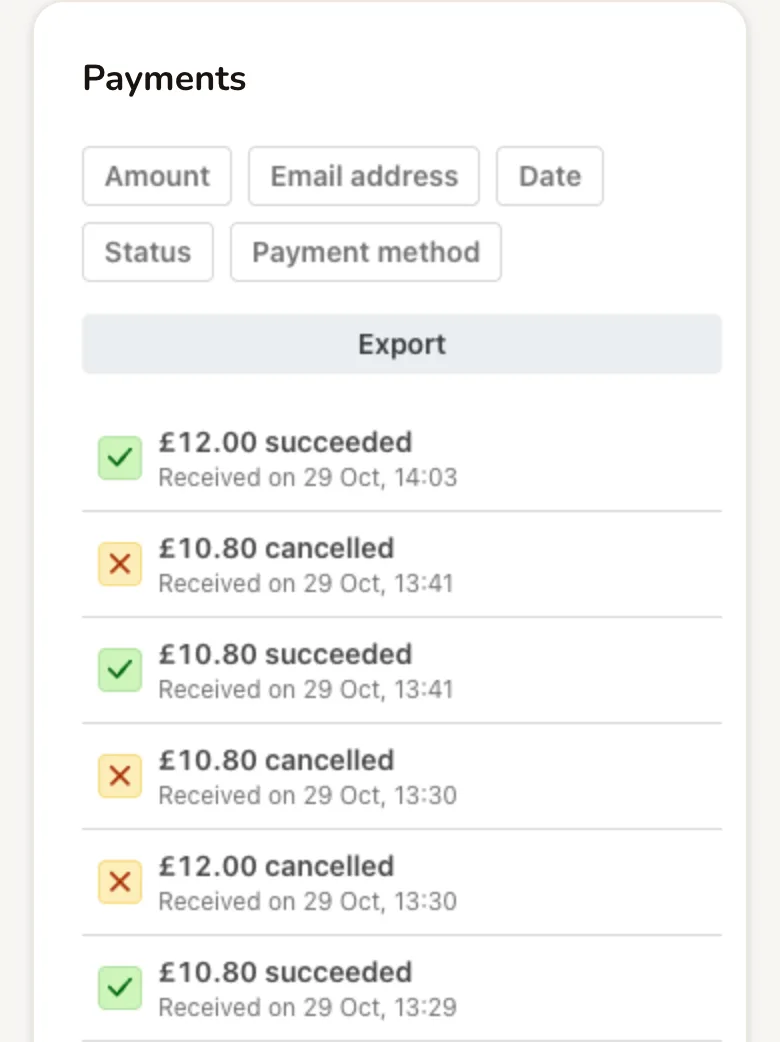
- succeeded means the customer paid.
- cancelled means a customer started paying and did not finish. Paddli holds the slot for a few minutes, then cancels the payment so the slot opens again. Nobody was charged.
Tap a payment to see its details, the fees and any refunds. The Documents card at the bottom of the page is where Stripe puts tax documents and reports for your account.
Each booking also shows whether it was paid. On the bookings list and on a booking, Paid, Refunded, Partially Refunded and No Charge (a free booking) tell you where the money stands. The dashboard’s Revenue, last 30 days adds up what customers paid you, less refunds, before any fees.
If Stripe needs more information
Section titled “If Stripe needs more information”Stripe sometimes asks for more details later, for example to verify your identity. If it does, the Stripe page in Organisation settings says Your Stripe account setup is incomplete. Please complete onboarding to start accepting payments.
Tap Complete Stripe Setup and give Stripe what it asks for. Do it straight away: until it is fixed, customers can still book but are told they won’t be charged, so those bookings are free.
Related
Section titled “Related”- Discount codes come off what the customer pays. Paddli’s fee is worked out on the price before the code.
- Gift vouchers are paid by card into your Stripe account when a customer buys one, so a voucher booking is only charged for any amount the voucher does not cover.
- Manual bookings are for customers who pay you directly, by cash or bank transfer. They show as Paid outside Paddli, carry no Paddli fee, and cannot be refunded through Paddli.
- Refunds come from your Stripe balance. Cancelling a booking returns Paddli’s fee for the refunded amount, apart from text message charges; Issue refund on the order page does not.
- Smart lock subscriptions are billed to a card you add under Organisation, then Billing, not taken from your bookings. That page needs Stripe connected first.
Frequently asked questions
How much does Paddli take from each booking?
5% of the booking price, worked out before any discount code comes off. If you send customers text or WhatsApp messages, the cost of the messages for that booking is added to the same fee. Paddli never takes more than the customer paid, and a free booking has no fee at all. There is no setup fee or monthly fee.
Who pays Stripe's card processing fee?
You do. Payments go into your own Stripe account, so Stripe's standard fee for your country comes off each payment before it is paid out, along with Paddli's fee. Open any order in Paddli and tap View payment in Stripe to see the fees and what you received from that payment.
When will I get my money?
Stripe pays your balance into your bank account on a regular schedule. A new account's first payout usually arrives around 7 to 14 days after your first booking payment, because Stripe holds the first funds while it checks your account. After that, payouts follow your normal schedule, which you can change on the Payments page under Account Settings.
Can customers book before I connect Stripe?
Yes, but they are not charged. Until you connect Stripe, your booking page tells customers they will not be charged, and your first 10 bookings, across all your fields, go through for free. After that, booking is paused until you finish your Stripe setup. Weekly subscriptions and gift vouchers need Stripe from the start.
What will customers see on their bank statement?
Your organisation's name, shortened if it is long, followed by PADDLI. Use a recognisable organisation name in Paddli so customers know the payment is yours.
Why does my Payments list show cancelled payments?
A cancelled line is a checkout a customer started but did not finish. Paddli holds the slot for a few minutes while they pay, then cancels the unfinished payment so the slot opens again. The customer was not charged and nothing reached your balance.
How do I change the bank account my payouts go to?
Go to Payments, scroll to Account Settings and tap Sign in. Stripe checks it is you, then lets you change your bank account, business details and payout schedule. Changing to a different Stripe account altogether is not something you can do yourself yet, so ask Jamie or Helen.
Do I get Paddli's fee back if I refund a customer?
It depends how you refund. Cancelling a booking refunds the customer and returns Paddli's fee for the refunded amount, apart from any text message charges. A refund made with Issue refund on the order page does not return Paddli's fee. Stripe does not return its own processing fee on refunds.